
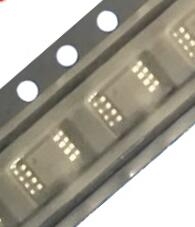
Details
BUY INA201AIDGK https://www.utsource.net/itm/p/12612098.html
| Parameter | Symbol | Min | Typical | Max | Unit | Notes |
|---|---|---|---|---|---|---|
| Supply Voltage | VCC | 2.7 | - | 5.5 | V | Operating range of the supply voltage |
| Input Voltage Range | VIN+, VIN- | -0.3 | - | VCC + 0.3 | V | Maximum input voltage range relative to supply voltage |
| Common-Mode Input Voltage | VCM | -0.3 | - | VCC + 0.3 | V | Common-mode voltage range relative to supply voltage |
| Output Voltage | VOUT | 0 | - | VCC | V | Output voltage range |
| Quiescent Current | IQ | - | 60 | - | 渭A | Quiescent current at typical operating conditions |
| Bandwidth | BW | - | 800 | - | kHz | Typical bandwidth |
| Gain | G | - | 20 | - | V/V | Fixed gain of the amplifier |
| Input Offset Voltage | VOS | - | 50 | - | 渭V | Typical input offset voltage |
| Input Bias Current | IB | - | 10 | - | nA | Typical input bias current |
| Power Dissipation | PD | - | - | 150 | mW | Maximum power dissipation |
| Operating Temperature | TA | -40 | - | 125 | 掳C | Operating temperature range |
| Storage Temperature | TSTG | -65 | - | 150 | 掳C | Storage temperature range |
Instructions for Using the INA201AIDGK
Power Supply Connection:
- Connect the positive supply voltage (VCC) to the VCC pin.
- Connect the ground (GND) to the GND pin.
Input Signal Connection:
- Connect the positive input signal (VIN+) to the IN+ pin.
- Connect the negative input signal (VIN-) to the IN- pin.
Output Signal:
- The output signal (VOUT) is available at the OUT pin.
PCB Layout Considerations:
- Ensure proper decoupling capacitors (typically 0.1 渭F) are placed close to the VCC and GND pins to filter out noise and stabilize the supply voltage.
- Keep the input signal traces as short as possible to minimize noise pickup.
Thermal Management:
- If operating at high temperatures or high power dissipation, ensure adequate heat sinking or cooling to maintain the device within its operating temperature range.
Handling Precautions:
- Handle the device with care to avoid static damage. Use appropriate ESD protection measures.
- Avoid exposing the device to excessive mechanical stress or moisture.
Testing and Troubleshooting:
- Verify all connections before applying power.
- Use a multimeter to check for proper power supply and ground connections.
- Monitor the output signal to ensure it matches expected values based on the input signals and gain.
By following these instructions, you can ensure optimal performance and reliability of the INA201AIDGK in your application.
(For reference only)View more about INA201AIDGK on main site