
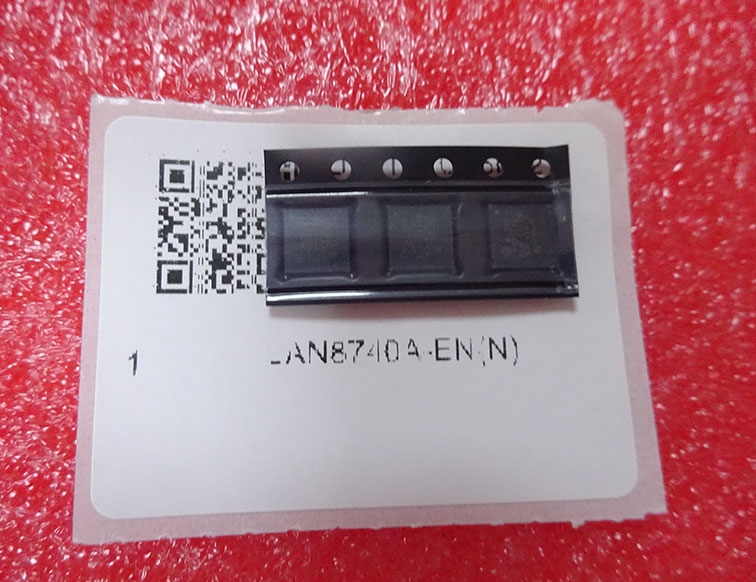
Details
BUY LAN8740A-EN https://www.utsource.net/itm/p/12612268.html
| Parameter | Description | Value |
|---|---|---|
| Device Type | High-Speed Ethernet Transceiver | - |
| Interface Standard | Supports 10BASE-T, 100BASE-TX, 1000BASE-T | - |
| Operating Voltage (Vcc) | Supply Voltage | 3.3V 卤 5% |
| Operating Temperature Range | Industrial Temperature Range | -40掳C to +85掳C |
| Data Rate | Maximum Data Rate | 1 Gbps |
| Package Type | QFN Package | 48-pin |
| Pin Pitch | Pin Spacing | 0.5 mm |
| Dimensions | Package Size | 7 mm x 7 mm |
| ESD Protection | Human Body Model (HBM) | 卤2 kV |
| Power Consumption | Typical Power Consumption | 350 mW (1000BASE-T), 150 mW (100BASE-TX) |
| Standby Mode | Low Power Mode Current | < 50 渭A |
| Wake-on-LAN | Wake-up Feature | Supported |
| LED Indicators | Status Indicators | Link, Activity, Speed, Full-Duplex |
| MDI/MDIX Support | Auto MDI/MDIX | Supported |
| Jumbo Frame Support | Maximum Frame Size | 9 KB |
| EMC Compliance | Electromagnetic Compatibility | Meets EN 55022 Class B and IEC 61000-4-2, 4-3, 4-4, 4-5, 4-6, 4-8, 4-11 |
| RoHS Compliance | Restriction of Hazardous Substances | Compliant |
Instructions for Use
Power Supply:
- Connect the 3.3V supply to the Vcc pin and ensure it is stable within 卤5%.
- Use appropriate decoupling capacitors (0.1 渭F and 10 渭F) close to the power pins to filter out noise.
Reset and Initialization:
- Apply a reset signal to the RESET# pin to initialize the device.
- The reset signal should be active low and held for at least 100 渭s.
Configuration:
- Configure the transceiver using the Management Data Input/Output (MDIO) interface.
- Set the desired operating mode (10BASE-T, 100BASE-TX, 1000BASE-T) via the MDIO interface.
PHY Address:
- The default PHY address is 0x00. If multiple devices are used on the same MDIO bus, configure unique addresses for each device.
Link Establishment:
- The transceiver automatically negotiates the highest possible link speed with the connected device.
- Monitor the LED indicators to confirm link status and activity.
Low Power Mode:
- To enter low power mode, set the appropriate register bit via the MDIO interface.
- The device will consume less than 50 渭A in this mode.
Wake-on-LAN:
- Enable the wake-on-LAN feature by setting the appropriate register bit.
- The device can be woken up by a magic packet or a specific pattern of network traffic.
Jumbo Frames:
- Enable jumbo frame support by configuring the maximum frame size to 9 KB via the MDIO interface.
MDI/MDIX:
- The device supports auto MDI/MDIX, eliminating the need for crossover cables in most scenarios.
EMC Considerations:
- Ensure proper PCB layout and grounding to minimize electromagnetic interference.
- Follow the recommended PCB layout guidelines provided in the datasheet.
Storage and Handling:
- Store the device in a dry, cool environment to prevent moisture damage.
- Handle the device with ESD precautions to avoid damaging the sensitive components.
For detailed information, refer to the LAN8740A-EN datasheet and application notes provided by the manufacturer.
(For reference only)View more about LAN8740A-EN on main site