
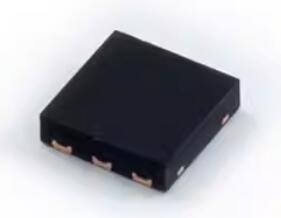
Details
BUY SI7050-A20-IM https://www.utsource.net/itm/p/12612280.html
| Parameter | Symbol | Min | Typical | Max | Unit |
|---|---|---|---|---|---|
| Supply Voltage | VDD | 1.9 | - | 3.6 | V |
| Operating Temperature | Toper | -40 | - | 125 | °C |
| Storage Temperature | Tstg | -40 | - | 150 | °C |
| Relative Humidity | RH | 0 | - | 100 | % |
| Measurement Accuracy | - | ±2 | - | %RH | |
| Measurement Resolution | - | 0.031 | - | %RH | |
| Response Time (63%) | τ | - | 8 | - | s |
| Power Consumption | IDD | - | 1.7 | - | μA |
| Output Impedance | Zout | - | 10 | - | kΩ |
| Communication Interface | - | I2C | - |
Instructions for Using the SI7050-A20-IM
Power Supply:
- Connect the VDD pin to a power supply within the range of 1.9V to 3.6V.
- Connect the GND pin to the ground.
Communication:
- The SI7050-A20-IM uses an I2C interface for communication.
- Connect the SDA (Data) and SCL (Clock) pins to the corresponding I2C lines on your microcontroller.
- Ensure pull-up resistors are used on the SDA and SCL lines if not already provided by the microcontroller or system.
Initialization:
- Initialize the I2C bus with the appropriate clock speed (up to 400 kHz).
- Send the device address (0x80 for the SI7050-A20-IM) followed by the read temperature command (0xE3).
Reading Temperature:
- After sending the read temperature command, wait for the conversion time (typically 10 ms).
- Read two bytes from the device to get the temperature data.
- Convert the raw data to temperature using the formula: [ text = -46.85 + (175.72 times frac{text}{65536}) ]
Error Handling:
- Check for any I2C communication errors such as NACK (Not Acknowledged) conditions.
- Handle any out-of-range or invalid data by reinitializing the sensor or checking the connections.
Power Management:
- To reduce power consumption, put the device into sleep mode when not actively measuring.
- Wake up the device by sending a start condition on the I2C bus.
Environmental Considerations:
- Ensure the sensor is placed in an environment where it can accurately measure the desired temperature without being affected by nearby heat sources or direct sunlight.
Mounting:
- Mount the sensor in a location that provides good airflow and is representative of the environment you wish to monitor.
- Avoid placing the sensor in areas with high humidity or condensation to prevent damage.
By following these instructions, you can effectively integrate the SI7050-A20-IM into your application for accurate temperature measurement.
(For reference only)View more about SI7050-A20-IM on main site