
Details
BUY DP83TC811RWRNDTQ1 https://www.utsource.net/itm/p/12612296.html
| Parameter | Description | Value |
|---|---|---|
| Part Number | Device identifier | DP83TC811RWRNDTQ1 |
| Function | 10/100BASE-TX Ethernet Transceiver with Integrated PHY | - |
| Interface | Ethernet Interface | 10/100BASE-TX |
| Operating Voltage (Vcc) | Supply voltage range | 3.0 V to 3.6 V |
| Operating Temperature | Operating temperature range | -40掳C to +85掳C |
| Data Rate | Maximum data rate | 100 Mbps |
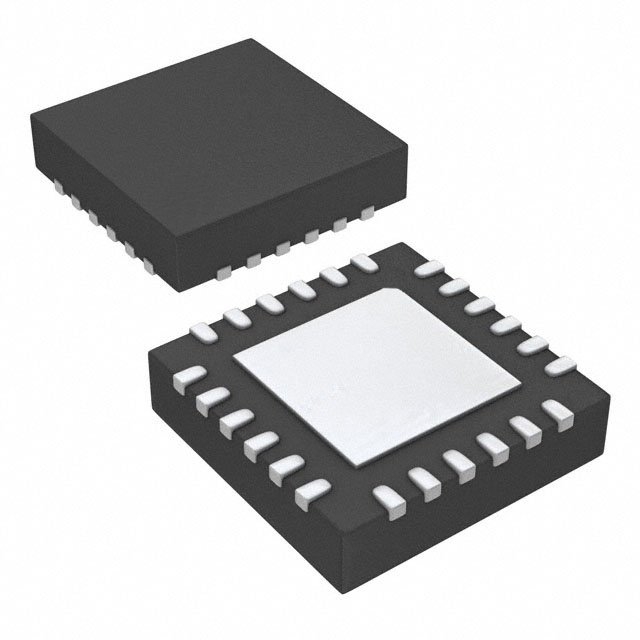
| Package Type | Package type | WQFN-40 (7x7mm) |
| Pin Count | Number of pins | 40 |
| ESD Protection | Electrostatic discharge protection | 卤2 kV (HBM), 卤1 kV (CDM) |
| MDI Interface | Medium Dependent Interface (MDI) | 4-wire differential pairs |
| Power Consumption | Typical power consumption | 200 mW (100BASE-TX), 100 mW (10BASE-T) |
| Standby Power Consumption | Power consumption in standby mode | < 10 mW |
| Compliance | Compliance standards | IEEE 802.3, IEEE 802.3u |
| Features | Key features | - Integrated 10/100BASE-TX PHY - Low power consumption - Auto-negotiation - Wake-on-LAN - Energy Efficient Ethernet (EEE) |
Instructions for Use
Power Supply:
- Ensure the supply voltage (Vcc) is within the specified range of 3.0 V to 3.6 V.
- Connect the power supply to the appropriate pins on the WQFN-40 package.
Signal Connections:
- Connect the MDI (Medium Dependent Interface) differential pairs to the Ethernet cable.
- Ensure proper termination of the differential pairs to avoid signal reflections and ensure reliable communication.
Configuration:
- Use the configuration pins to set the operating mode (10BASE-T or 100BASE-TX).
- Configure the device using the SPI or I2C interface if required.
Auto-Negotiation:
- Enable auto-negotiation to automatically configure the link speed and duplex settings.
- Monitor the status registers to confirm successful negotiation.
Power Management:
- Utilize the low-power modes (standby, sleep) to reduce power consumption when the device is not actively transmitting or receiving data.
- Implement wake-on-LAN functionality to allow the device to be powered up remotely.
ESD Protection:
- Handle the device with care to avoid ESD damage.
- Use appropriate ESD protection equipment and follow best practices during handling and installation.
Testing:
- Test the device using standard Ethernet test equipment to verify proper operation.
- Check the link status and error rates to ensure reliable communication.
Mounting:
- Follow the recommended PCB layout guidelines to ensure optimal performance and reliability.
- Use the correct soldering profile for the WQFN-40 package to avoid thermal stress and solder joint issues.
View more about DP83TC811RWRNDTQ1 on main site