
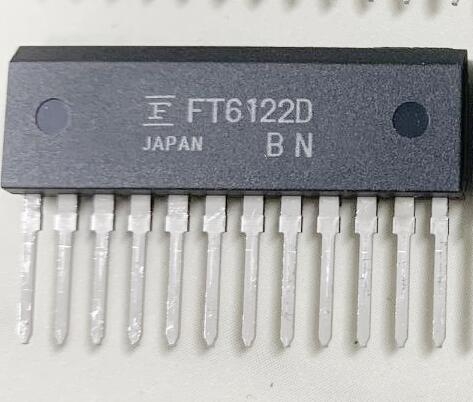
Details
BUY FT6122D. https://www.utsource.net/itm/p/12612408.html
| Parameter | Description | Value |
|---|---|---|
| Part Number | Device Identifier | FT6122D |
| Function | Touch Controller | Capacitive Touch Screen |
| Interface | Communication Protocol | I2C, SPI |
| Operating Voltage | Supply Voltage Range | 2.7V to 3.6V |
| Operating Current | Active Mode Current Consumption | 1.2mA (Typical) |
| Standby Current | Standby Mode Current Consumption | 0.5uA (Typical) |
| Operating Temperature | Temperature Range for Normal Operation | -40掳C to +85掳C |
| Touch Points | Maximum Number of Simultaneous Touches | 2 |
| Touch Sensitivity | Minimum Touch Force Required | 10g |
| Response Time | Time to Detect and Report a Touch | < 8ms |
| Package Type | Physical Package | QFN-24 |
| Dimensions | Package Size | 4mm x 4mm |
| Pin Count | Number of Pins | 24 |
Instructions
Power Supply:
- Connect the VCC pin to a stable power supply within the operating voltage range (2.7V to 3.6V).
- Connect the GND pin to the ground.
Communication Interface:
- For I2C communication:
- Connect SDA (Serial Data) and SCL (Serial Clock) pins to the corresponding I2C lines on the host microcontroller.
- Ensure pull-up resistors (typically 4.7k惟) are connected to the SDA and SCL lines.
- For SPI communication:
- Connect MOSI (Master Out Slave In), MISO (Master In Slave Out), SCK (Serial Clock), and CS (Chip Select) pins to the corresponding SPI lines on the host microcontroller.
- For I2C communication:
Reset Pin:
- The RST pin can be used to reset the device. Pull it high to reset the device.
Interrupt Pin:
- The INT pin is an active-low interrupt output. It can be used to signal the host when a touch event occurs.
Configuration:
- Use the appropriate register settings to configure the touch sensitivity, debounce time, and other parameters. Refer to the datasheet for detailed register descriptions.
Firmware Update:
- The FT6122D supports firmware updates via the I2C or SPI interface. Follow the firmware update procedure described in the datasheet.
Handling Precautions:
- Handle the device with care to avoid static discharge, which can damage the IC.
- Ensure that the device is not exposed to voltages outside the specified operating range.
Mounting:
- Mount the device on a PCB using standard surface mount technology (SMT) processes.
- Ensure proper thermal management if the device is expected to operate in high-temperature environments.
For more detailed information, refer to the official datasheet and application notes provided by the manufacturer.
(For reference only)View more about FT6122D. on main site