
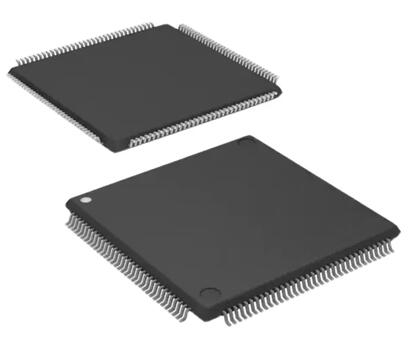
Details
BUY XC95288XL-TQ144CMN https://www.utsource.net/itm/p/12612485.html
| Parameter | Description | Value |
|---|---|---|
| Device Type | Family | XC95288XL |
| Package | Form Factor | TQFP-144 |
| Operating Temperature Range | Min | -40掳C |
| Operating Temperature Range | Max | +125掳C |
| Supply Voltage (VCC) | Min | 3.0V |
| Supply Voltage (VCC) | Max | 3.6V |
| I/O Voltage (VCCO) | Min | 1.2V |
| I/O Voltage (VCCO) | Max | 3.6V |
| Configuration Voltage (VCCP) | Min | 1.7V |
| Configuration Voltage (VCCP) | Max | 3.6V |
| Configuration Mode | Options | ISP, JTAG, AS, BPI, SPI, and Parallel Flash Programming |
| Configuration Memory | Type | Non-Volatile Flash Memory |
| Configuration Memory | Size | 2 Mbits |
| User Memory | Size | 288 Macrocells |
| Maximum Frequency | Typical | 400 MHz |
| Number of I/Os | Total | 128 |
| Power Consumption | Typical (Active) | 20 mW |
| Power Consumption | Standby | 1 渭W |
| ESD Protection | HBM | 卤2000 V |
| ESD Protection | CDM | 卤1000 V |
Instructions for XC95288XL-TQ144CMN
Power Supply Connections:
- Connect VCC to a stable 3.0V to 3.6V power supply.
- Connect VCCO to the appropriate I/O voltage (1.2V to 3.6V).
- Connect VCCP to the configuration voltage (1.7V to 3.6V).
Configuration:
- Use one of the supported configuration modes (ISP, JTAG, AS, BPI, SPI, or Parallel Flash Programming).
- Ensure the configuration memory is properly programmed before device operation.
Input/Output Handling:
- Ensure all I/O pins are connected to appropriate pull-up or pull-down resistors if not actively driven.
- Do not exceed the maximum ratings for I/O voltages.
Thermal Management:
- Ensure adequate cooling if operating at high frequencies or in high ambient temperatures.
- Follow recommended PCB layout guidelines for optimal thermal performance.
ESD Precautions:
- Handle the device with ESD-protected equipment.
- Avoid touching the pins directly with bare hands.
Testing and Debugging:
- Use boundary scan (JTAG) for testing and debugging.
- Refer to the device datasheet for detailed test patterns and procedures.
Storage and Handling:
- Store the device in a dry, cool environment.
- Follow anti-static handling procedures during storage and transportation.
Compliance:
- Ensure compliance with all relevant safety and regulatory standards.
For more detailed information, refer to the official datasheet and application notes provided by the manufacturer.
(For reference only)View more about XC95288XL-TQ144CMN on main site