
Details
BUY STM32F070F6P6TR https://www.utsource.net/itm/p/7439687.html
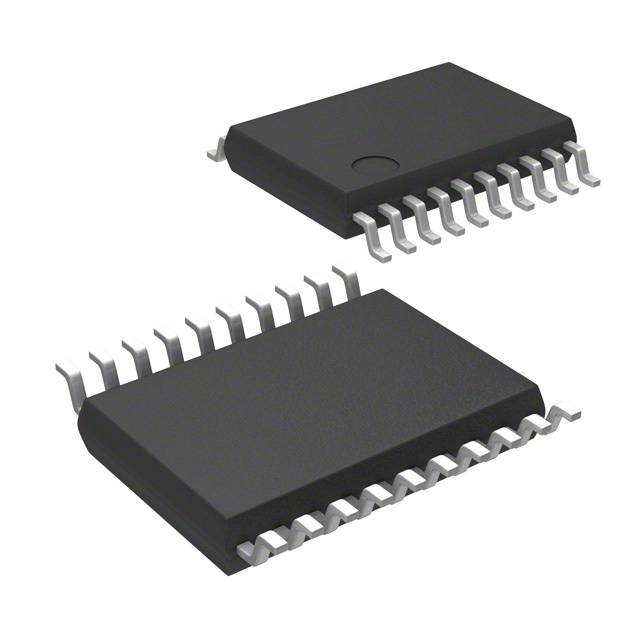
ARM? Cortex?-M0 STM32F0 Microcontroller IC 32-Bit 48MHz 32KB (32K x 8) FLASH 20-TSSOP
| Parameter | Description | Value/Range |
|---|---|---|
| Package | Package type | TSSOP20 |
| Operating Voltage | Supply voltage range | 1.8V to 3.6V |
| Core | Processor core | ARM? Cortex?-M0 |
| Clock Speed | Maximum CPU clock frequency | 48 MHz |
| Flash Memory | On-chip Flash memory size | 32 KB |
| RAM | On-chip SRAM size | 4 KB |
| Temperature Range | Operating temperature range | -40°C to +85°C |
| I/O Pins | Number of I/O pins | 14 |
| ADC | Analog-to-Digital Converter resolution | 12-bit, up to 1 MSPS |
| DAC | Digital-to-Analog Converter channels | 1 channel, 12-bit |
| Timers | General-purpose timers | 2x 16-bit |
| Communication Interfaces | Supported communication interfaces | UART, SPI, I2C |
| Low Power Modes | Available low power modes | Sleep, Stop, Standby |
| DMA Channels | Direct Memory Access channels | 7 channels |
| Watchdog Timers | Watchdog timer types | Independent watchdog, Window watchdog |
| Reset and Supply Management | Reset and supply management features | POR, PDR, Backup domain, Brownout detection |
Instructions for Use:
Power Supply:
- Ensure the supply voltage is within the specified range (1.8V to 3.6V).
- Connect the VDD pin to the power supply and VSS to ground.
Clock Configuration:
- Configure the system clock using internal or external oscillators.
- The maximum clock speed is 48 MHz.
Memory Initialization:
- Initialize the Flash memory and RAM according to the application requirements.
- Use the provided HAL libraries or directly configure via register settings.
Peripheral Setup:
- Configure ADC, DAC, timers, and communication interfaces as needed.
- Set up DMA channels for efficient data transfer.
Power Management:
- Utilize sleep, stop, and standby modes to manage power consumption effectively.
- Implement brownout detection and reset functionalities for robust operation.
Programming and Debugging:
- Use an appropriate IDE such as STM32CubeIDE for development.
- Program the device using SWD interface for debugging and firmware updates.
Handling and Storage:
- Handle with care to avoid ESD damage.
- Store in a dry environment within the recommended temperature range.
For detailed configuration and programming, refer to the official STM32F070F6P6TR datasheet and reference manual.
(For reference only)View more about STM32F070F6P6TR on main site